
Hear what you're routing
Add a monitor to listen to a virtual device through your speakers or headphones while its audio routes elsewhere.
A virtual device is silent by itself — audio flows through it to whichever apps are listening, but not to your ears. A monitor plays a device's mix on real hardware so you can hear exactly what's being routed, while it routes.
Add a monitor
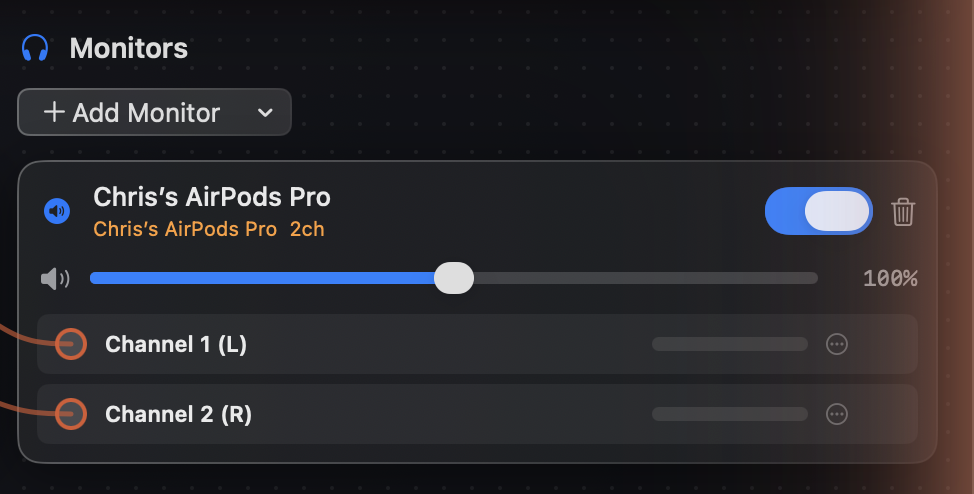
In the device's Monitors panel, click Add Monitor and choose where it should play under Monitor Outputs — System Default follows whatever your Mac's current output is, or pin it to a specific output like headphones.
Control it
Each monitor has its own enable and mute, so you can silence your ears without interrupting the routing. Monitoring is comfortably real-time: end-to-end latency through SoundPipe stays under 15 ms.
When to use one
- Recording system or app audio — hear the exact mix going into the recorder.
- Mixing a mic with music — check your levels the way listeners will hear them.
- Muted captures — if a source uses Mute when capturing, a monitor is how you keep hearing it yourself.