Troubleshooting
What to check when a device doesn't appear, audio doesn't flow, or you hear noise — from status indicators to the built-in pass-thru test.
First, read the toolbar
The two status indicators in the corner of the window tell you which half of the system to look at:
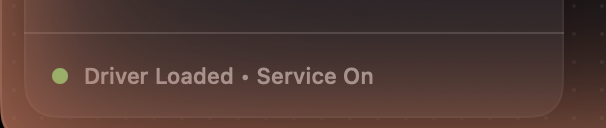
- Driver Missing — the virtual-device driver isn't loaded, so devices won't appear anywhere. Relaunch SoundPipe and accept the driver install prompt (one admin password).
- Service Off or Service Stalled — the background service that powers app capture, hardware inputs, and monitors isn't running. Use Install Service / Restart Service in the app.
When both read Driver Loaded and Service On, the plumbing is healthy.
Run the pass-thru test
Run Pass-Thru Test in the app sends a signal through a real device and verifies it comes back intact — a quick end-to-end check that the driver is processing audio. If it passes, the problem is almost certainly configuration, not installation.
No audio arriving in the other app?
Work down the chain:
- Is the source enabled and its app playing? An application source only produces audio while the app is actually running and making sound.
- Are the wires connected? Audio only flows through channels you've wired on the routing canvas. Most apps capture channels 1 and 2.
- Is anything muted? Check the source mute, channel volumes, and the device volume.
- Is the right device selected in the receiving app? Some apps only list devices at launch — restart the app if the device was created while it was open.
- Is the device enabled? Each device has an Enabled toggle in its settings.
Hearing noise or static?
That's the trial: after 20 minutes of routing per session, noise fades in until you click Restart Trial Session (offered in a dialog when the session ends, and always available in the app's settings). See Trial and licensing.
Sample rate mismatches?
There aren't any — SoundPipe converts between sample rates automatically at every edge, so a 44.1 kHz interface, a 48 kHz call app, and a 96 kHz DAW can all share one device. If you've used BlackHole-style drivers before, this is one setup step you can skip.
Still stuck?
Email [email protected] with what you're routing and what you see in the toolbar — we read everything.